Nimble Cable Clips – Home Office Desk Organizer for Charging Cables, Adhesive Cord Holder for Remote Workers
Nimble Cable Clips – Home Office Desk Organizer for Charging Cables, Adhesive Cord Holder for Remote Workers
Couldn't load pickup availability
Why you'll love it
- Twist-off removal leaves no sticky residue or wall damage — renters can use it confidently
- 12-pack provides enough clips to organize an entire room or multiple setups in one purchase
- Three color options (black, white, coffee) let the clips blend with walls, wood, or dark surfaces
- Works on multiple surfaces (wood, glass, metal, plastic, rubber) for flexible placement
- Stops cables from slipping behind nightstands and desks, eliminating the daily frustration of fishing dropped cords out from hard-to-reach gaps
- 24-hour bonding time ensures a strong, long-lasting hold on heavy charging cables
Perfect for
- Holding phone charging cables on the nightstand so the cable doesn't fall behind the bed
- Organizing mouse, keyboard, and monitor cables on a work desk to prevent tangling
- Securing ethernet and power cords along baseboards or under desks
- Creating a clean multi-device charging station in a living room or kitchen
- Managing headset and gaming peripherals on an entertainment center

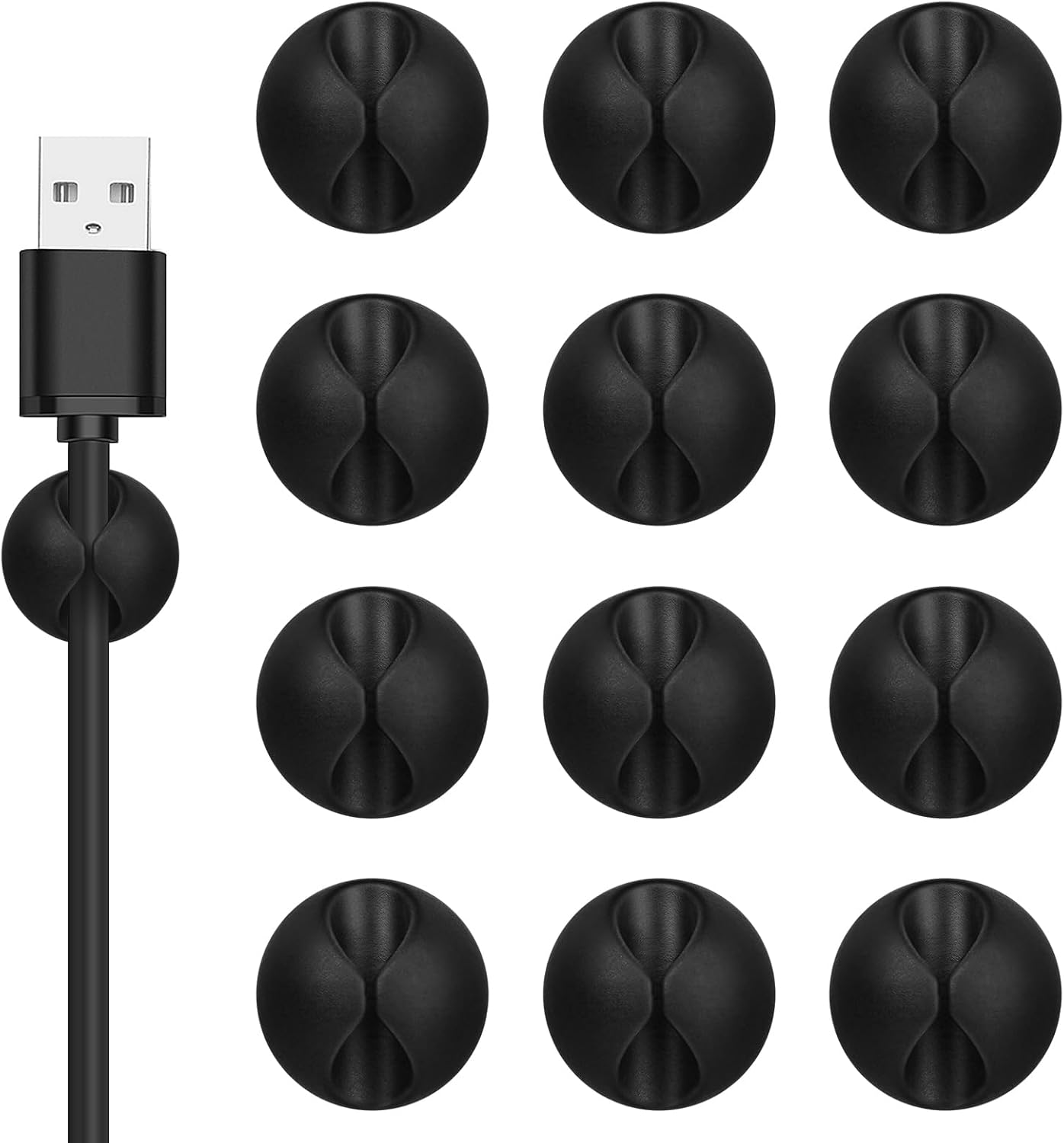
Are you tired of dealing with messy cords and cables in your office? Say goodbye to the chaos with Flezoo cable clips! These handy cord holder can be easily attached to the bottom, sides, or top of your desk, and they will stay securely in place. These cord organizer are perfect for organizing various cables such as mouse cables, charging cables, Ethernet cables, and more. No more cables hanging down under your TV - Flezoo cord clips can keep your USB cables in check.

The size of the cord clips is 1.14"L x 0.6"H, which is ideal for cables like micro USB and lightning connectors.
Flezoo cord holders can keep your cables tidy and in good order, whether you're using them at home or in the office. The adhesive backing makes it simple to stick them to any surface you need.
Here are a few tips to ensure the best performance of the cable holder:

Before using the cable holder, clean the surface with alcohol and wait until it is completely dry.

Press the cord holder firmly onto the surface for 15 seconds to ensure a strong bond.

For optimal performance, wait 24 hours before using the cord management system.

Exercise caution when removing the cord holder from painted or finished surfaces to avoid any potential damage.

Enjoy a clutter-free workspace with Flezoo cable clips and keep your cables organized and easily accessible!
Flezoo Multi-functional Cord Holder


Product Information
Package: A total of 12 packs of black cable clips are included. These cord holder are suitable for organizing cords in your home or office. Good Adhesive for Various Surfaces: Our adhesive cable clips are designed to work well on wood, walls, plastic, glass, metal, or rubber. These cord holder for nightstand effectively hold your cords in place, preventing them from slipping out or causing a tangled mess on the floor. Easy to Install & Remove: Simply peel off the protective film from the cable holder and apply it to the desired surface. If you need to remove the cord organizer, just twist the cable organizer and it will come off easily. For optimal performance, make sure to clean the surface and allow 24 hours of bonding time before use. Widely Used: The wire holders for cords size is 1.14"L x 0.6"H, making it suitable for holding various cables such as phone chargers, headsets, power cords, mice, ethernet cables, keyboards, and more. These wire clips adhesive are perfect for keeping your desk tidy and organized. Stay Organized & Say Goodbye to Mess: These wire holders for cords are truly life-changing! They help keep everything in place, prevent cords from falling down, and create a neat and organized space.
Product Dimensions 1.14 x 1.14 x 0.6 inches Item Weight 4.2 ounces Manufacturer Cable Clips
Frequently Asked Questions
Will these adhesive cable clips hold heavy monitor and power cables on my standing desk without slipping?
Yes. After the 24-hour bonding period, the strong adhesive secures thick monitor, power, and ethernet cables on wood, glass, metal, or plastic desk surfaces, so your standing desk setup stays clean and distraction-free throughout the workday.
Do the cable clips help reduce visual clutter so I can focus during video calls?
Absolutely. By routing mouse, keyboard, and webcam cables along the desk edge or under-desk channel, the clips eliminate tangled wires in the camera frame, creating a more professional appearance and calmer workspace.
How many cable clips come in a pack, and is it enough for a full home office?
Each pack contains 12 adhesive cable clips, which is typically enough to organize an entire desk, monitor array, and charging station in one purchase, with a few extras for future rearrangements.
Can I install these cord holders on the back of my standing desk without damaging the surface?
Yes. The twist-to-remove design peels off cleanly without leaving sticky residue or surface marks, making them safe for laminate, veneer, and painted desk finishes common in standing desks.
Will the adhesive stay strong when my home office gets warm near a window?
The industrial-grade adhesive is rated for a wide temperature range, so clips mounted near sunlit windows or heating vents will continue to hold USB-C, Lightning, and power cables securely.
Is this a good cable management solution for someone who works from home full-time?
Yes. It is purpose-built for WFH professionals who need a quick, tool-free way to keep daily-use cables accessible and untangled at a dedicated workstation.
Will these clips hold up on a shared coworking desk that gets rearranged often?
Yes. The twist-off removal makes them easy to relocate, and because each pack has 12 clips, you can reconfigure a shared desk multiple times before running out.
Do these clips help with ethernet cable runs along the baseboard of my office?
Yes. The compact size and strong adhesive make them ideal for pressing ethernet and power cords flat against baseboards, keeping walkways clear and tripping hazards out of the way.
How long does installation take so I can set up before my next focus block?
Application takes only a few minutes per clip. Peel, stick, route the cable, and wait 24 hours for full bond strength, after which the clips are ready for heavy daily use.
Are these cable clips better than zip ties for a productive desk setup?
For daily-access cables that you plug and unplug often, clips are far better. Zip ties require cutting to remove, while these clips let you lift a cable out instantly without tools.
Can I use these instead of a full cable management tray under my desk?
For light to moderate cable loads, yes. The clips route cords neatly along the desk frame or wall, offering a simpler, lower-profile alternative to bulky under-desk trays.
How do these compare to cable sleeves for a home office?
Cable sleeves bundle cords into one tube, which can look bulky, while these clips separate and route each cable individually for easier access and a cleaner visual line.
Will the adhesive damage my monitor arm or aluminum desk frame?
No. The twist-off removal is engineered to detach cleanly from metal, plastic, and painted surfaces without stripping finish or leaving residue.
Is the 12-pack enough value compared to buying cable clips one at a time?
Yes. The 12-pack delivers enough clips to organize an entire workstation, including monitor, laptop charger, phone dock, and peripherals, at a lower per-clip cost than single units.
What if my productivity setup changes and I need to move the clips to a new desk?
The twist-off design makes repositioning simple. Apply fresh adhesive pads (not included) or use rubbing alcohol to clean the clip backs before re-mounting on your new desk.
Will these cable clips fall off if I attach them to the underside of a glass desk?
No. Once the 24-hour bond is complete, the adhesive grips glass securely and resists the slight vibrations from typing or adjusting a standing desk.
How do I install these adhesive cable clips?
Wipe the surface clean, peel the adhesive backing, press the clip firmly onto the surface for 30 seconds, wait 24 hours for full bond strength, then route your cable into the slot.
How do I remove the clips without damaging my wall or furniture?
Twist the base gently while pulling, rather than yanking straight off. This breaks the adhesive bond cleanly and leaves no sticky residue on most surfaces.
What cable types and sizes fit into the clip slot?
The slot fits standard phone chargers, USB-C, Lightning, micro-USB, ethernet, headphone, and thin power cables up to about 0.3 inches in diameter.
Will the adhesive work on glass, metal, plastic, wood, and rubber surfaces?
Yes. The adhesive is engineered to bond with wood, glass, metal, plastic, and rubber, making the clips flexible for nightstands, desks, baseboards, entertainment centers, and more.
Are these clips safe to use near heat sources like lamps or monitors?
Yes. The adhesive and clip material are designed for typical indoor temperatures around electronics, lamps, and gaming consoles without losing grip.
What is included in the 12-pack box?
You receive 12 adhesive cable clips in your chosen color (Black, White, or Coffee), each with pre-applied adhesive backing ready to peel and stick.
What is the difference between adhesive cable clips and cable sleeves?
Cable clips route individual cables along surfaces one at a time for easy access, while cable sleeves bundle multiple cables into a single tube. Clips are better for setups where you frequently plug and unplug devices.